Your screens,
your content.
Pair any TV, build what it plays, and control every screen from one Dashboard.
From a blank screen to playing
Meet the Dashboard, the Content Hub and the Player, then try them in the field guide.
Dashboard
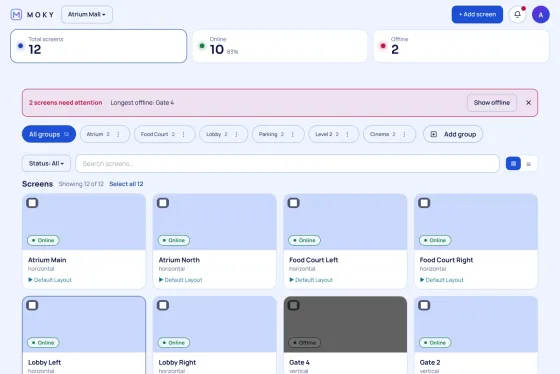
Screenshots of the MOKY Dashboard your team uses every day, shown with sample data. Pick a view to see what it is for.
Content Hub
Inside the Dashboard, the Content Hub turns your assets (images, videos, apps and links) into one list a screen can play: a Sequence, a Channel, a Layout or a Video Wall. Try each builder below, then assign what you made to a screen.
Player
The Android TV app that turns any display into a MOKY screen — pairing, standing by and playing. Captured from the app with sample content.
How to use MOKY — learn it by doing
Four short missions cover the whole life of a screen: pairing it, sending it content, and relinking it from either side. Let it auto-play, or take control and click the glowing parts of the Dashboard and the Player yourself.